
Download WizeCare – physical therapy, at-home therapy, personalized plans, video chat, progress tracking, recovery journey, home rehab, telehealth, remote therapy, digital health
Overview
WizeCare for Patients at Home is a free Android application designed to support individuals undergoing physical therapy in a remote setting. The software enables users to access personalized physical therapy plans tailored to their specific recovery needs. By integrating digital tools with clinical oversight, WizeCare aims to bridge the gap between traditional in-clinic therapy and home-based rehabilitation. The app is particularly suited for patients recovering from injuries, managing chronic conditions, or seeking ongoing physical wellness support without the need for frequent clinic visits.
Users can connect with their clinicians through secure video and text chat, allowing for real-time communication and guidance. This feature supports continuous engagement and helps maintain motivation throughout the recovery journey. The app also includes a built-in progress tracker, enabling users to monitor milestones, log exercises, and visualize improvements over time. These functionalities make WizeCare a valuable tool for those who prioritize convenience, consistency, and personalized care in their rehabilitation process.
The software requires an active account on the WizeCare cloud, which must be set up via the WizeCare website. This integration ensures that patient data and therapy plans remain securely synchronized across devices. While the app is currently available only on Android, its design emphasizes accessibility and ease of use for a broad range of users, including seniors and individuals with limited tech experience. WizeCare’s focus on remote therapy aligns with the growing demand for digital health solutions that support long-term wellness from home.
Key Features & Capabilities
- Personalized Physical Therapy Plans: Each user receives a customized rehabilitation program based on their condition, goals, and progress. These plans are designed to evolve as the user improves, ensuring continued relevance and effectiveness.
- Video and Text Chat with Clinicians: Patients can communicate directly with their healthcare providers through secure video calls and instant messaging, enabling timely feedback and support.
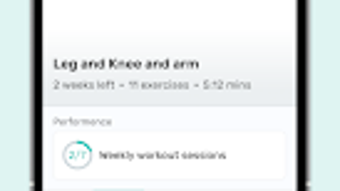
- Progress Tracking: The app records exercise completion, symptom changes, and milestones, offering visual dashboards and reports that help users stay engaged and informed.
- On-the-Go Accessibility: Therapy plans and communication tools are available anytime, anywhere, supporting consistent adherence to treatment regimens.
- Cloud-Based Synchronization: All data is stored securely on the WizeCare cloud, allowing seamless access across devices and ensuring continuity of care.
These features are especially beneficial for individuals with busy schedules, limited mobility, or those living in remote areas with restricted access to physical therapy services. For example, a post-surgical patient can perform prescribed exercises at home, upload their results, and receive feedback within hours. Similarly, a person managing chronic back pain can log daily symptoms and adjust their routine based on clinician recommendations. The combination of personalization, real-time communication, and data tracking makes WizeCare a comprehensive solution for modern rehabilitation needs.
User Interface, Workflow & Performance
The user interface of WizeCare for Patients at Home is designed with simplicity and clarity in mind. Navigation is structured around a central dashboard that displays upcoming exercises, recent messages, and progress summaries. Key actions such as starting a new session, sending a message, or viewing logs are accessible through intuitive icons and labeled menus. The layout prioritizes readability, using clear typography and color-coded indicators to differentiate between completed, pending, and overdue tasks.
Workflow efficiency is enhanced by the app’s integration with the WizeCare cloud, allowing users to begin therapy immediately after account setup. The process of accessing a personalized plan, completing exercises, and submitting updates is streamlined into a few taps. While specific performance metrics such as CPU or RAM usage were not provided, the app’s lightweight size of 45 MB suggests optimized resource management. The developer did not specify resource usage details, but general software behavior patterns indicate stable operation under normal conditions.
Stability appears to be a priority, as the app supports continuous interaction with clinicians and persistent data tracking. Users can expect minimal disruptions during video calls or when syncing data, though actual performance may vary depending on network conditions and device capabilities. The absence of reported crashes or bugs in the initial release suggests a reliable foundation. Overall, the interface and workflow are designed to reduce cognitive load and encourage consistent use, which is critical for long-term recovery outcomes.
Compatibility & System Requirements
WizeCare for Patients at Home is compatible with Android operating systems, as specified in the provided details. The software version is 1.0.0, and the installation size is 45 MB. This indicates a lightweight application that can be installed on most modern Android devices without significant storage impact.
Exact system requirements were not listed, including minimum Android version, processor speed, or RAM specifications. The developer did not provide additional system requirements. Compatibility information is limited to the operating system platform. Users should ensure their device meets general Android standards for app functionality, such as access to a camera, microphone, and stable internet connection, especially for video chat features.
Given that the app relies on cloud synchronization and real-time communication, a stable internet connection is essential. While the app may function on older Android devices, performance may vary based on hardware and software updates. Users are advised to check their device’s compatibility with current Android versions and ensure that background app restrictions are disabled to maintain uninterrupted service.
Pros and Cons
Pros
- Free to download and use, reducing financial barriers to therapy access.
- Personalized physical therapy plans tailored to individual recovery goals.
- Secure video and text chat with clinicians for real-time support.
- Progress tracking tools help users visualize and stay motivated during recovery.
- Cloud-based system ensures data persistence and cross-device access.
Cons
- Currently available only on Android, limiting access for iOS users.
- Requires an active account on the WizeCare cloud, which must be set up via the website.
- Performance may vary depending on device capabilities and internet stability.
- Exact system requirements were not provided, making compatibility assessment difficult.
- Reliance on third-party cloud infrastructure for data storage and communication.
FAQ Section
Is WizeCare for Patients at Home available for iOS devices?
As of the current release, the app is only available on Android. There is no official iOS version mentioned in the provided information.
Do I need an internet connection to use WizeCare?
Yes, a stable internet connection is required to access therapy plans, use video chat, send messages, and sync progress data with the WizeCare cloud.
Is my personal health data secure on WizeCare?
The app uses cloud-based storage and secure communication channels. While specific security protocols were not detailed, the use of a dedicated cloud platform suggests data protection measures are in place.
Can I use WizeCare without a clinician?
No, the app requires an active account on the WizeCare cloud, which must be created through the WizeCare website. Access to personalized plans and clinician support depends on a registered clinical relationship.
How often are updates released for WizeCare?
The provided information does not specify update frequency. Users are encouraged to check the app store or WizeCare website for the latest version and release notes.
Final Thoughts + CTA
WizeCare for Patients at Home presents a modern, accessible solution for individuals seeking high-quality physical therapy from the comfort of their homes. Its combination of personalized plans, real-time clinician communication, and robust progress tracking addresses key challenges in remote rehabilitation. The app’s free model lowers entry barriers, while its cloud integration ensures continuity and data security.
While the lack of iOS support and limited system requirement details may pose challenges for some users, the core functionality is well-structured and user-focused. The app is especially beneficial for patients recovering from injuries, managing chronic conditions, or living in areas with limited access to in-person therapy.
For those committed to a consistent, guided recovery journey, WizeCare offers a reliable digital health companion. With its emphasis on personalization, connectivity, and progress, it stands out as a thoughtful tool in the growing telehealth landscape.
Download WizeCare now







